✨ Wingman

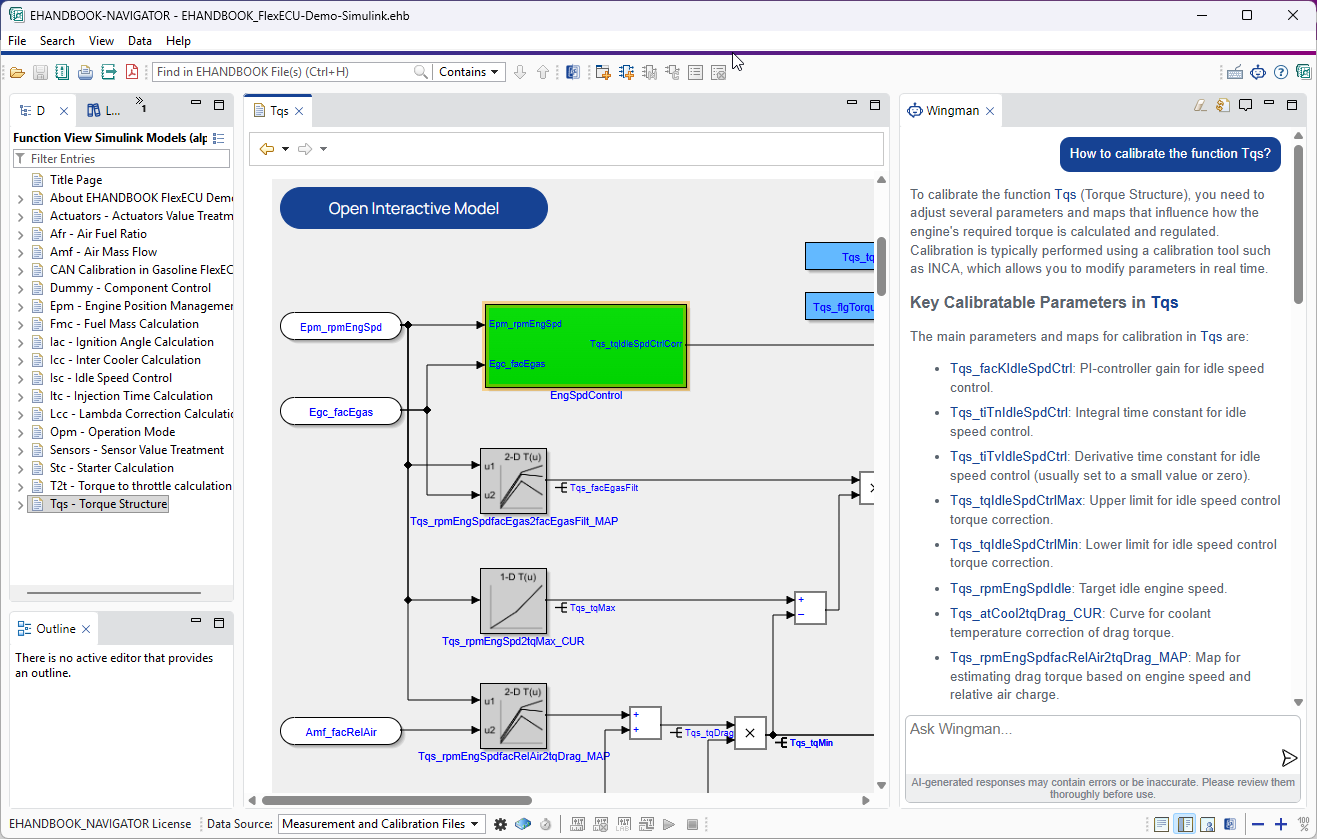
Wingman is an AI-powered assistant integrated into EHANDBOOK-NAVIGATOR that helps you explore the currently loaded EHANDBOOK container and the EHANDBOOK-NAVIGATOR user guide more efficiently. You can ask questions in natural language and receive context-aware answers based on container content and user guide content, such as variables, functions, parameters, and product usage information. This reduces manual searching through complex documentation and helps you find relevant information faster.
Wingman is backed by Productivity Assistant (PA). Productivity Assistant is a precondition for Wingman to operate, is installed together with EHANDBOOK-NAVIGATOR, and can also be used independently with other ETAS products.
|
In order to use Wingman and other AI features, you need to procure the add-on license |
-
Find information quickly using Wingman
-
Get explanations on cross-cutting questions using Wingman
-
Get answers in different languages
-
Multi EHB Container Support from Wingman
-
Connecting external AI agents to EHANDBOOK-NAVIGATOR
Why Wingman
ECU software documentation can be extensive and complex, often spanning thousands of pages. Generic AI chat assistants are often not capable of handling this context, especially when large documentation sets exceed practical context windows. Wingman addresses this by answering natural-language questions directly inside EHANDBOOK-NAVIGATOR based on the currently loaded EHANDBOOK container and the EHANDBOOK-NAVIGATOR user guide.
Technically, Wingman follows a Retrieval-Augmented Generation (RAG) approach: relevant content is first retrieved from the loaded EHANDBOOK container and the EHANDBOOK-NAVIGATOR user guide and then used as context for answer generation. By grounding responses in retrieved project-specific documentation, this approach helps reduce hallucination risk compared to generic, non-grounded chat interactions. As a result, teams can find information faster, reduce manual navigation effort, and understand ECU software behavior more efficiently in day-to-day engineering workflows.
Data, IP, and deployment control
Wingman is designed for enterprise environments where protection of software know-how and operational control are essential. This is achieved through deployment concepts in which customers control the configured LLM endpoint and related usage model, helping align AI adoption with internal compliance and cost requirements.
|
EHANDBOOK containers can be delivered in encrypted form to support controlled sharing of documentation content. Wingman will not be able to access content from encrypted containers. In fact, the chat and all LLM interactions are blocked if an encrypted container is loaded. |
Key capabilities
-
Context-grounded answers: Wingman answers questions using the currently loaded EHANDBOOK container context and the EHANDBOOK-NAVIGATOR user guide, including variables, functions, parameters, software component information, source code, and product usage information. It even has a basic understanding of Simulink models.
-
Retrieval-Augmented Generation (RAG): Before generating a response, Wingman retrieves relevant content from the loaded container and uses it as grounding context to improve answer relevance and reduce hallucination risk.
-
Traceable responses with source links: When available, Wingman includes links to relevant documentation sections so you can quickly validate answers in EHANDBOOK-NAVIGATOR.
-
Label-aware exploration: Wingman responses can include label references; selecting a label opens detailed metadata to support faster analysis without leaving the chat workflow.
-
Multilingual interaction: You can ask questions in different languages and receive responses in your preferred language.
-
Integrated engineering workflow: Wingman is available in a dedicated tab in EHANDBOOK-NAVIGATOR, so you can work with models and chat in parallel. You can even detach the chat from the main application window and use it standalone.
-
Optional knowledge enrichment: Wingman can use additional source code context when the latter is available in the EHANDBOOK container content. This allows for more detailed answers about software behavior.
Getting started
-
Wingman Chat explains how to use Wingman chat.