How to Export Comments
Export comments from an EHANDBOOK container into a comments file.
Procedure
-
From the
Filemenu, selectExport.
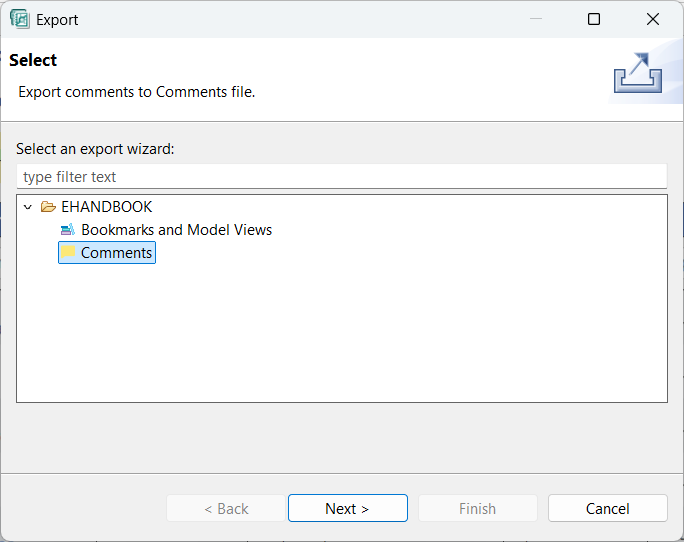
Exportwindow is displayed.
-
Select
Commentsfrom the Documentation folder and then clickNext.
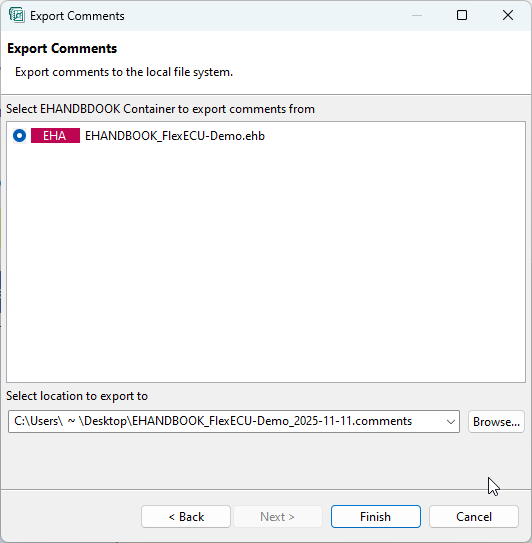
Export Commentswindow is displayed -
Select the EHANDBOOK container from which you want to export the comments.
-
Click
Browseand select the Comments file into which you want to export the comments.
-
Click
Finishto complete exporting of comments.