How to Import Comments
Import comments from an EHANDBOOK container or comments file.
Procedure
-
From the
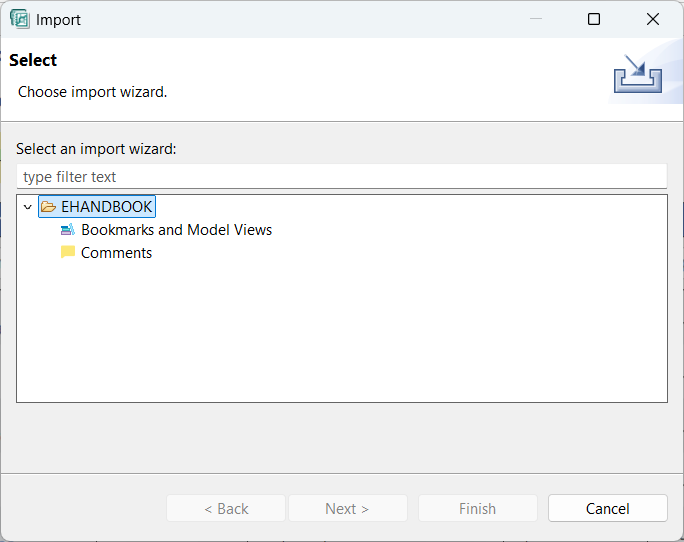
Filemenu, selectImport.
Importwindow is displayed.
-
Select
Commentsfrom the Documentation folder and then clickNext.
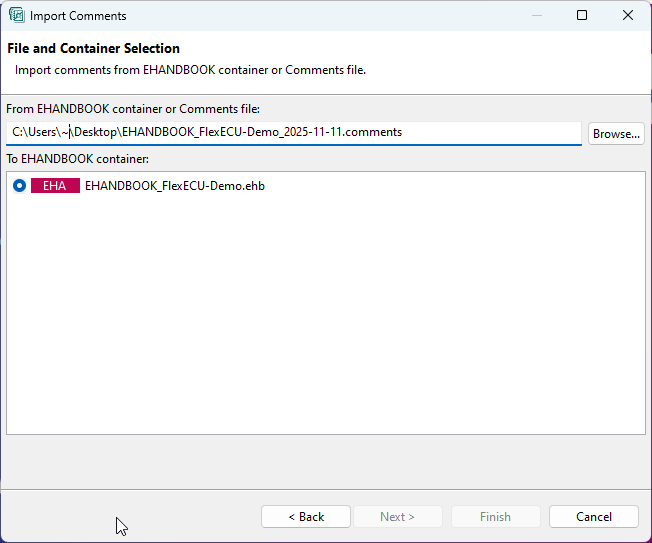
Import Commentswindow is displayed -
Click
Browseand select the EHANDBOOK container or Comments file from which you want to import the comments. -
Select the EHANDBOOK container into which you want to import the comments.
-
Click
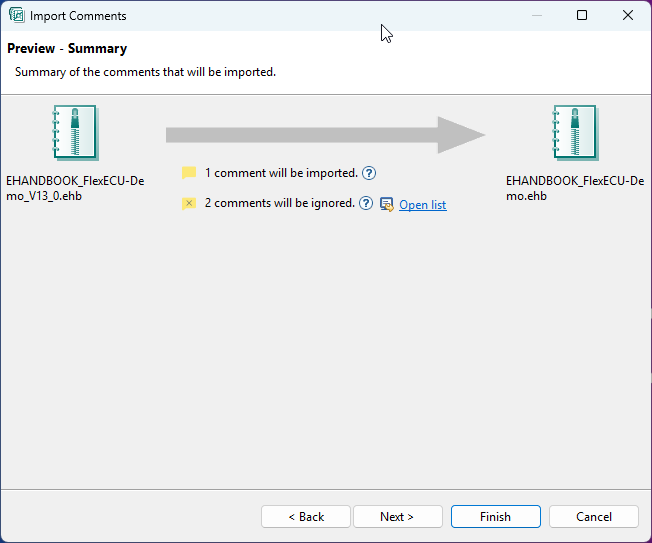
Next. A summary of the comments imported is displayed. In the summary, a list of comments that cannot be imported to a location (error marker) is displayed. This helps you to know the comments which are affected.
-
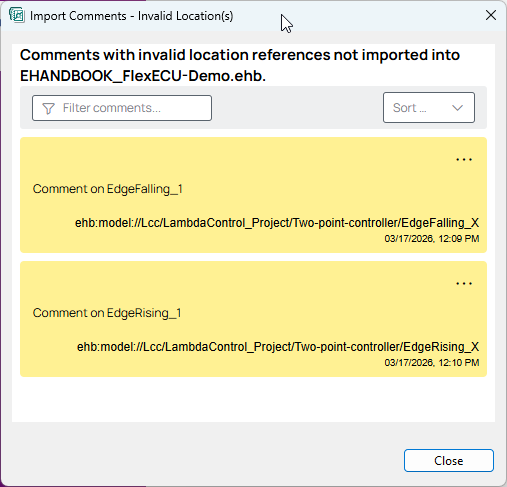
In case of ignored comments (if any), click
Open listto see the list of comments that could not be imported because of invalid locations of the comments according to the target EHANDBOOK container.
-
Click
Next.
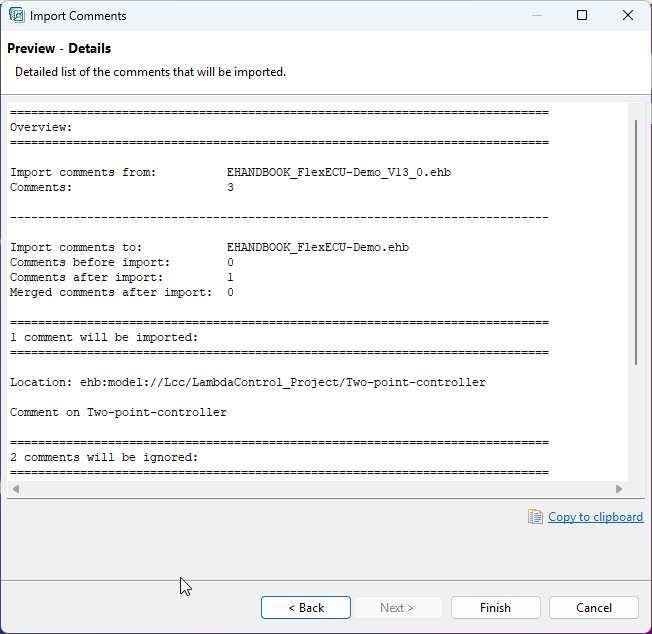
-
Click
Finishto complete importing of comments.