How to Work with Multiple EHANDBOOK Files
Procedure
When you are working with a multiple EHANDBOOK files, it is difficult to identify
the information or documentation contents which are displayed in the Document
viewer originated from. EHANDBOOK-NAVIGATOR offers a solution by giving the
variant colored flags and the alias names to each container.
The usage of colored flags and the alias names in EHANDBOOK-NAVIGATOR are
stated below:
-
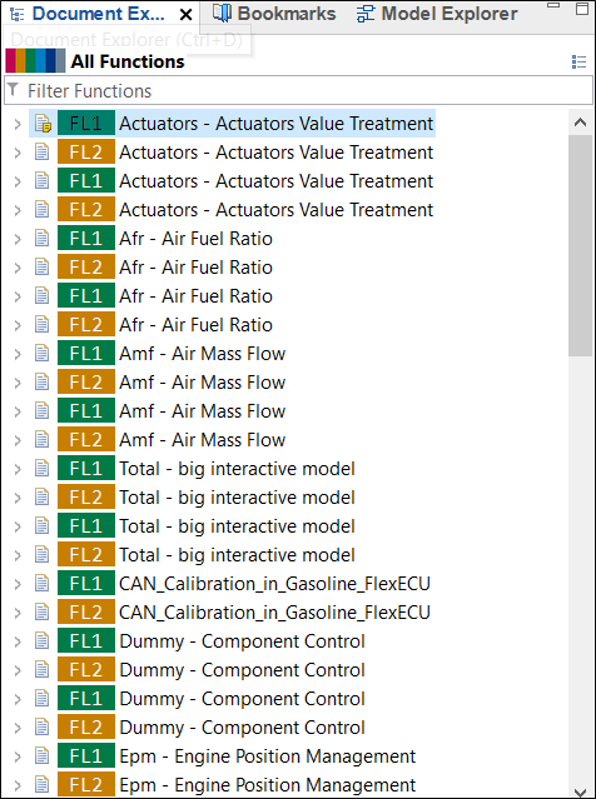
Displays alias names as well as the assigned color flag for different EHANDBOOK file in the table of contents (TOC). The functions of all the file are aggregated together in the "All Functions" in the Document Explorer.
-
The tabs of the Document Viewer and Model Viewer display their assigned color flag and alias names as well.

-
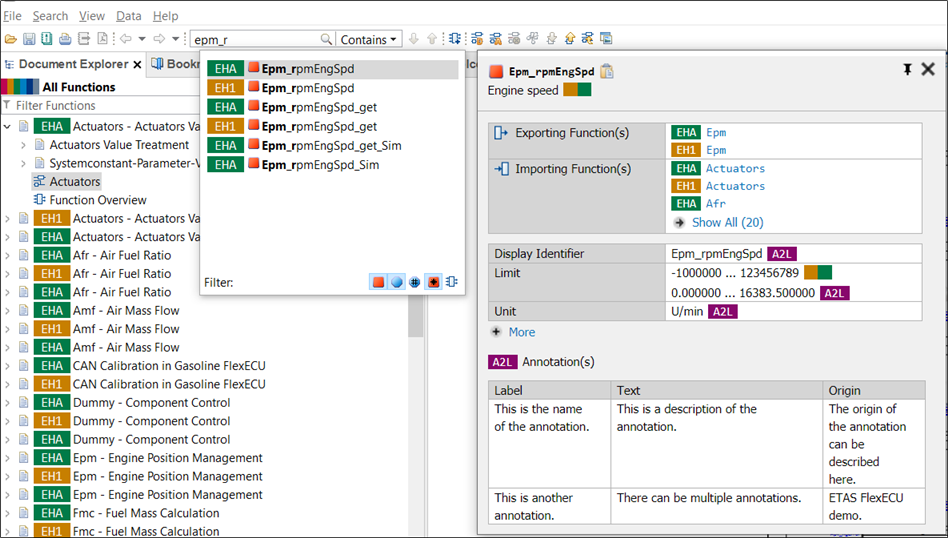
Search proposals show colored flags and alias names to indicate the source of the displayed information.
-
In the search results view, a column EHANDBOOK displays all the EHANDBOOK files where your search results are located. You can use the filter to minimize your search results and search the results only in the required EHANDBOOK file(s).

-
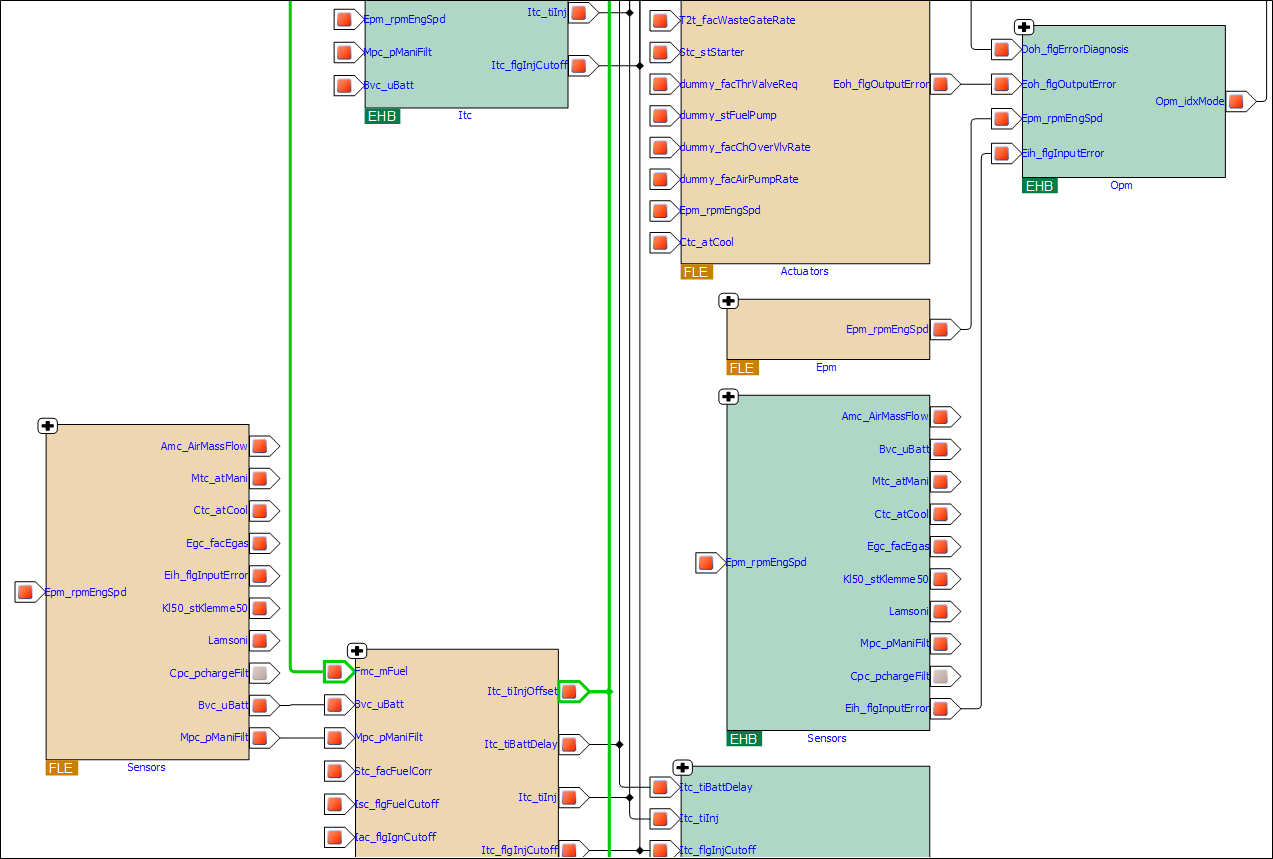
The blocks representing function in function overview diagrams are colored with the assigned color flag for its background and named with its alias name at the bottom.
NOTICE
The graphical model presentation might differ from the real ECU functionality.
The EHANDBOOK-NAVIGATOR then may contain erroneous elements and missing
user comments in an interactive model when displaying automatic layouts!
Therefore, always compare the content of the interactive model in the
EHANDBOOK-NAVIGATOR with the real ECUs function by validating that the
graphical model presentation corresponds to the ECU documentation source
before you start working.
To identify the cause for the wrong, missing or incomplete content, the producer
of the container must check the source files from where the container
was created. If the source files are correct and the appearance of the error is
reproducible, the producer of the container must contact the local sales representative
or the ETAS support to report this error.
NOTICE
The EHANDBOOK-NAVIGATOR may display erroneous connections between
functions, that do not corresponds to the real ECU software.
The functions' interface descriptions of one ore more EHANDBOOK containers
(e. g. function overviews, labels, pop-ups) may not correspond to the real ECU
software.
Therefore, always check the conformity of the functions' interface descriptions.