Improvements in Rendering of Commented Simulink and Stateflow Blocks

Overview

The rendering system was enhanced to provide improved visualization support for commented elements in both Simulink and Stateflow models.

The enhancement ensures that:

  • Commented elements are visually distinguishable

  • Rendering behavior is consistent across blocks, states, and transitions

  • Labels of commented elements are rendered in gray-out mode

  • Commented elements preserve visual consistency between MATLAB and EHANDBOOK Navigator views

  • Explicit and implicit comment annotations are supported
Examples

The following examples shows the rendering comparison between:

  • MATLAB/Simulink editor view

  • EHANDBOOK Navigator view

The commented Simulink/Stateflow block is rendered in gray-out mode in both views to preserve visual consistency.

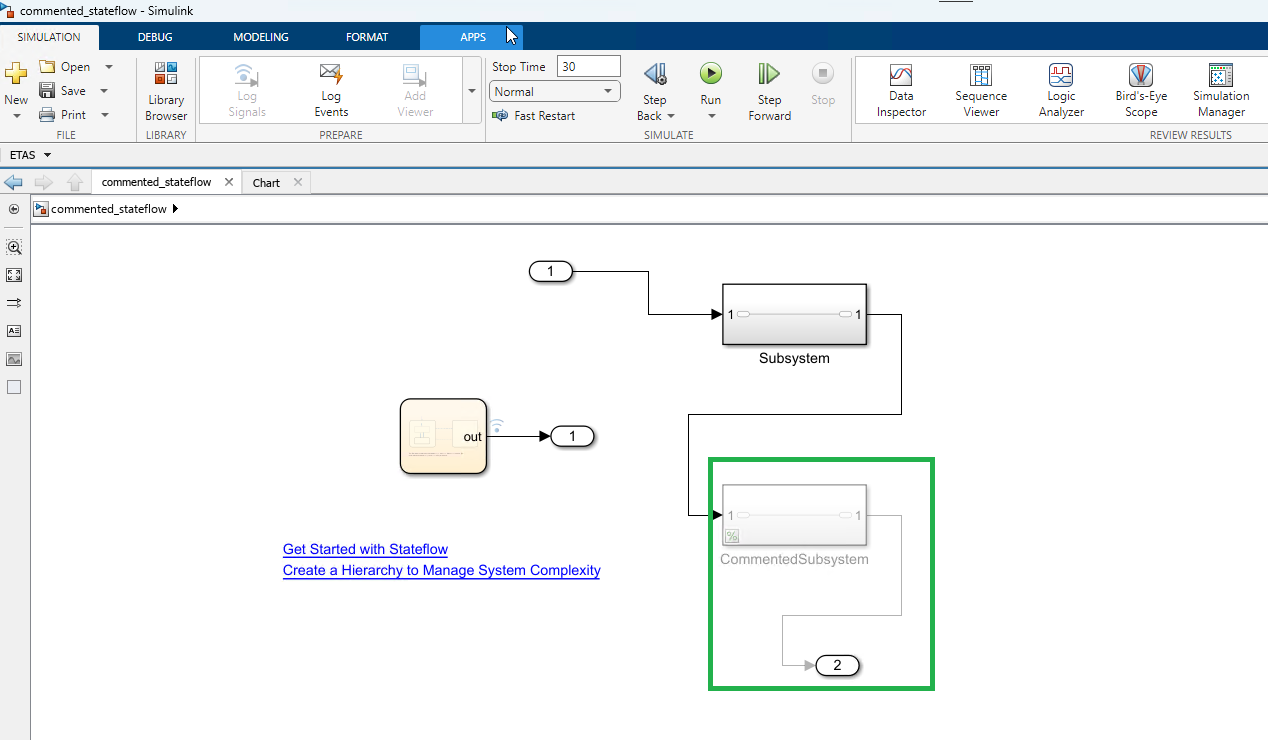
MATLAB Simulink Commented block

EHANDBOOK Navigator view

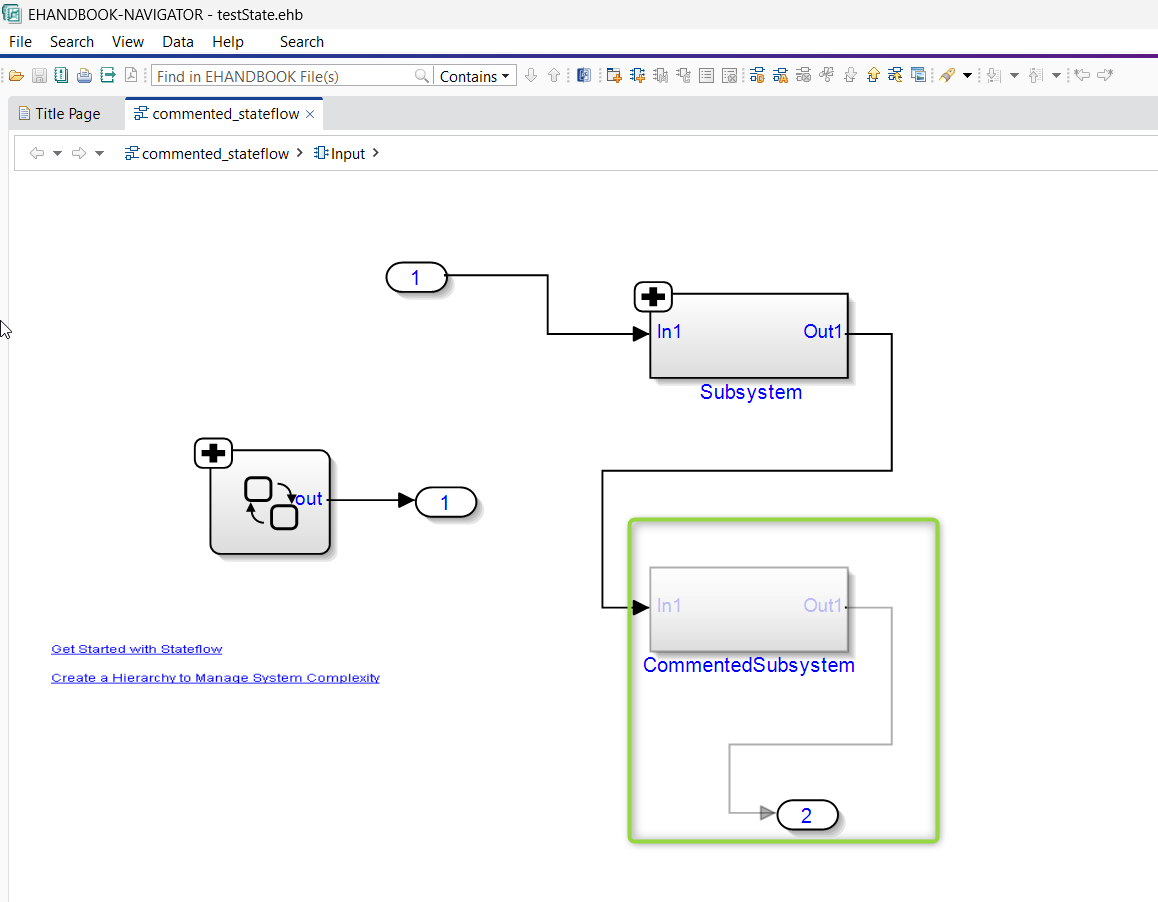
EHANDBOOK NAVIGATOR Simulink Commented block

Features visible:

  • Block is commented out

  • Block appears faded

  • Connected signal lines are grayed out

  • Labels are grayed out

Example 2: Commented Stateflow Block

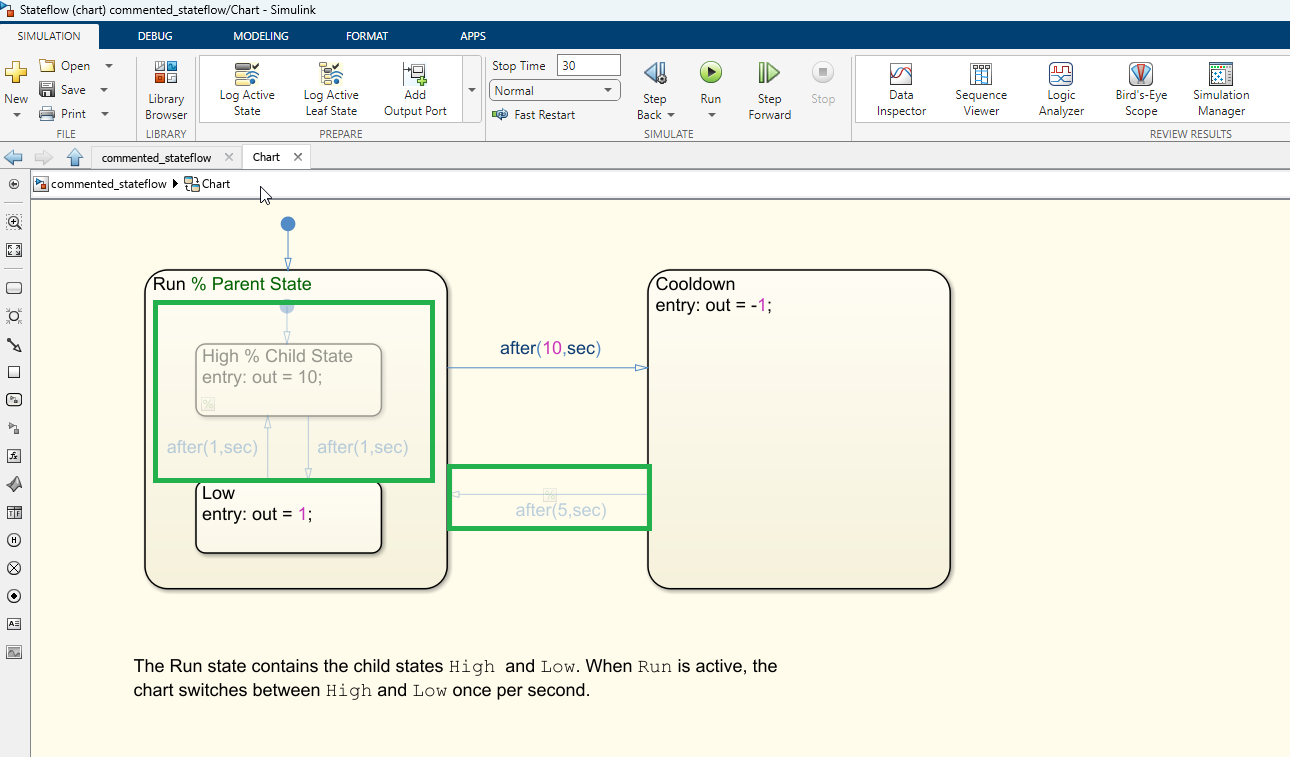
MATLAB StateFlow Commented block

EHANDBOOK Navigator view

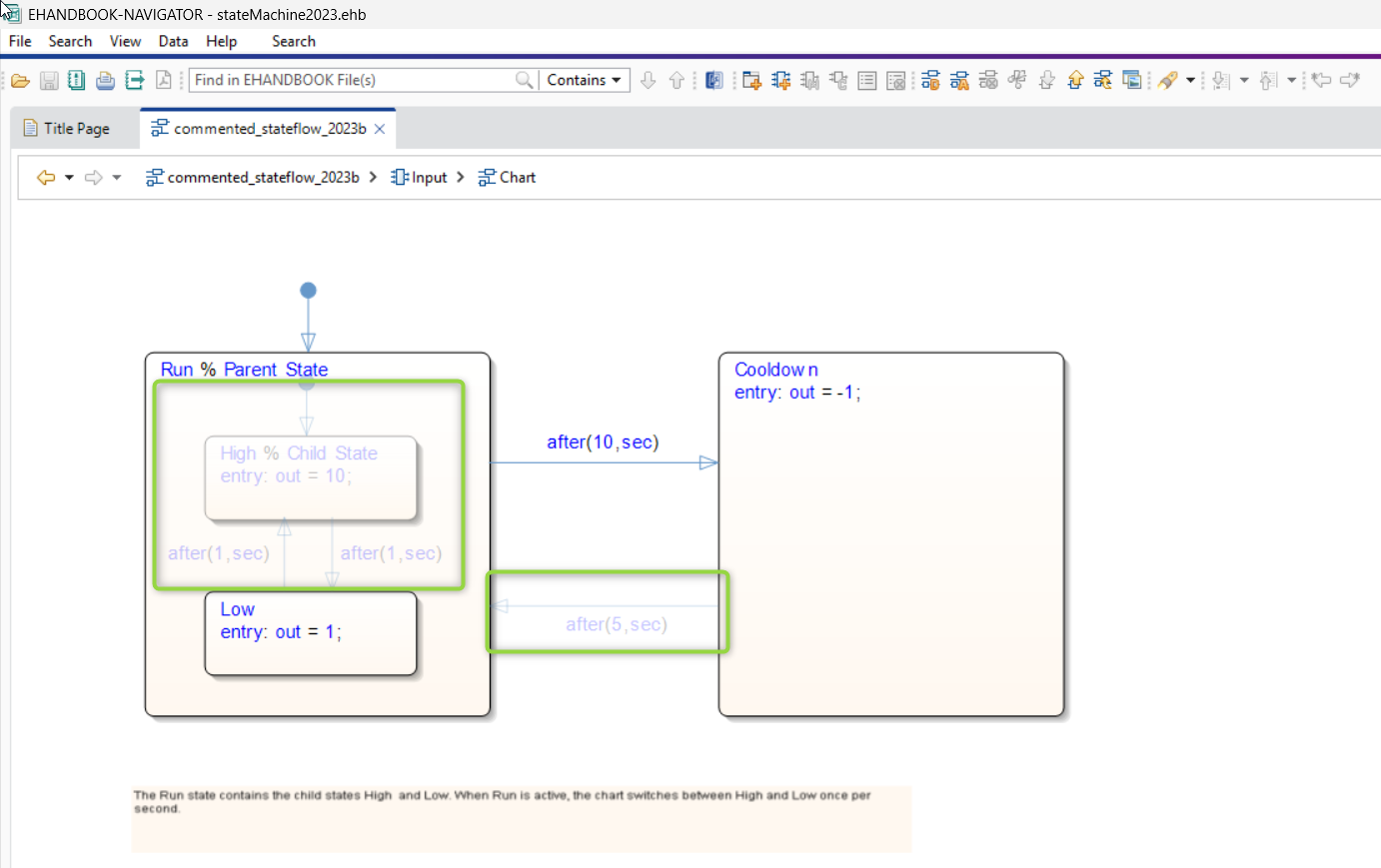
EHANDBOOK NAVIGATOR Stateflow Commented block

Features visible:

  • Stateflow state is commented

  • Transition rendering is faded

  • Transition labels are grayed out

  • OR-state labels appear grayed out