How to Add an Attachment
Procedure
-
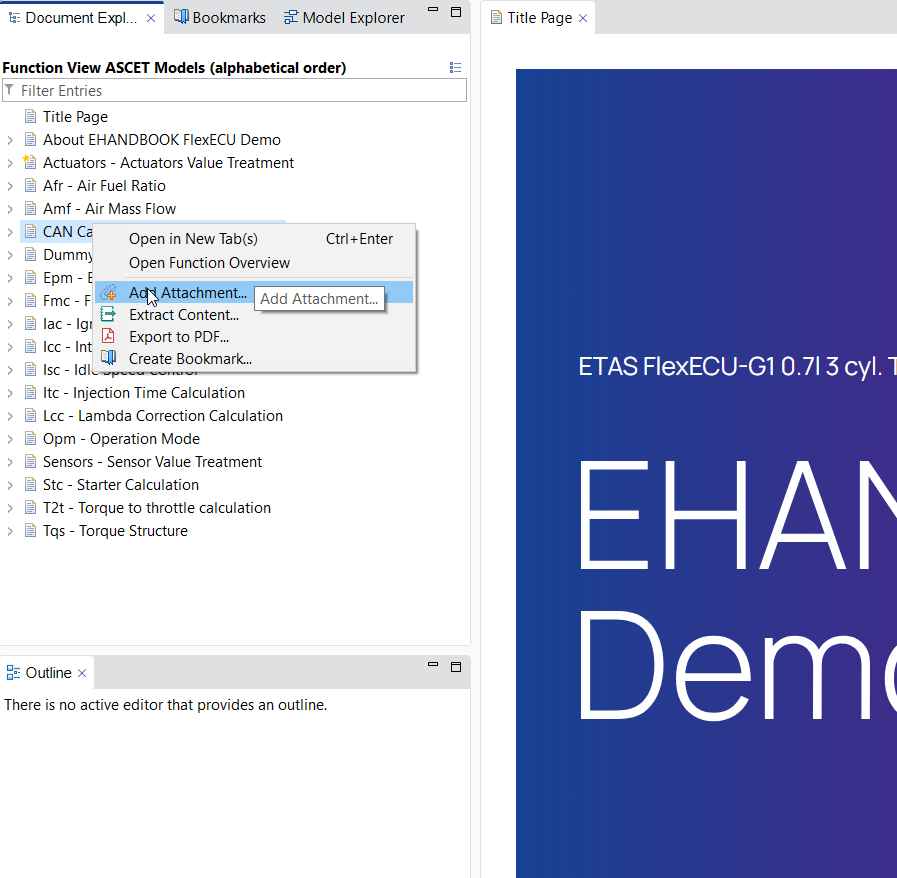
Right click on the FC to which you want to add the attachment.
-
Select
Add Attachment..from the context menu.
-
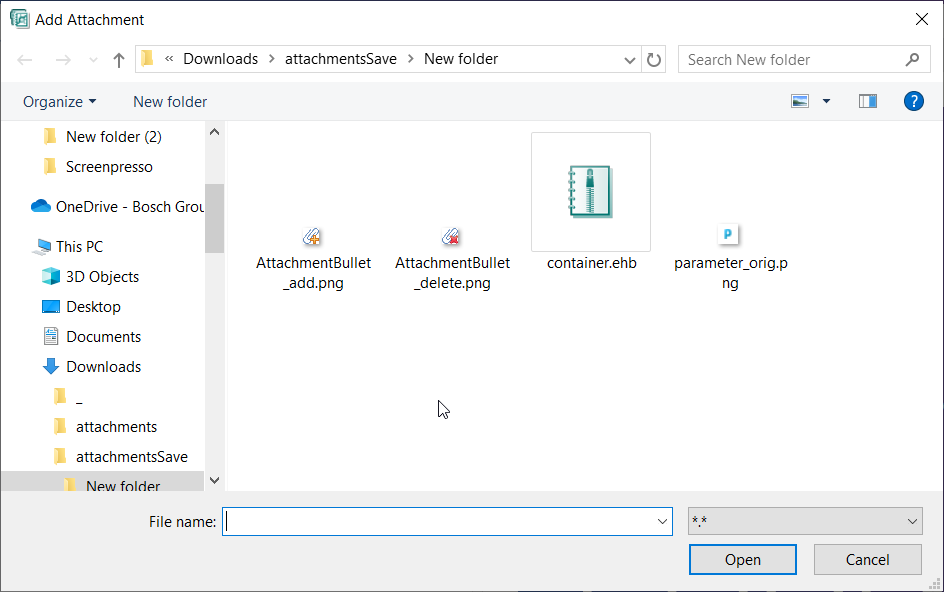
You will get a popup to select the attachment you wish to add.
-
Select the file and click on
Open. -
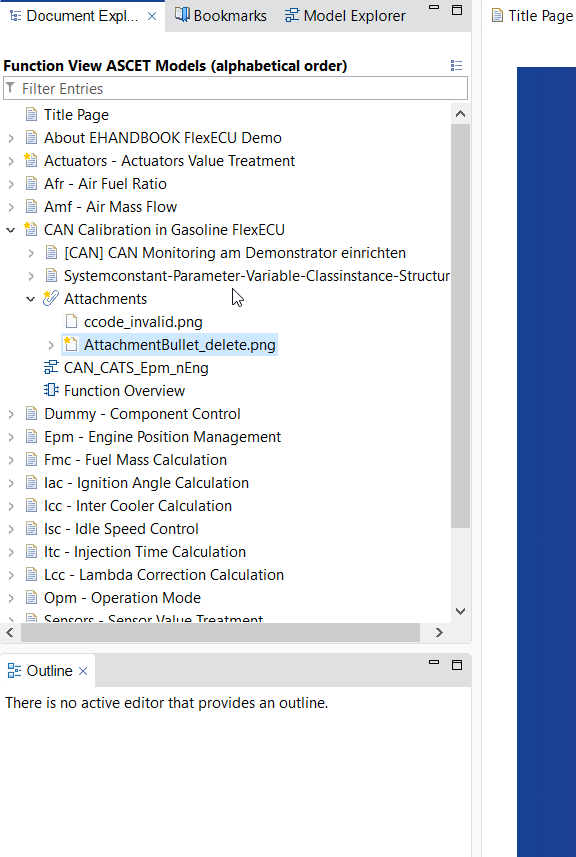
The attachment gets added to the topic as shown below
-
You can also select the
Attachmentsand add new attachments. -
A
 symbol will be shown on the attachments which are newly added.
 -
You can save the newly added attachment to the container by clicking on the
 (
(save) button.