How to Remove an EHANDBOOK File from a Project
Procedure
This is used to delete the selected file(s). To remove the EHANDBOOK file, follow the steps below:
-
On the
Filemenu, clickManage Project.
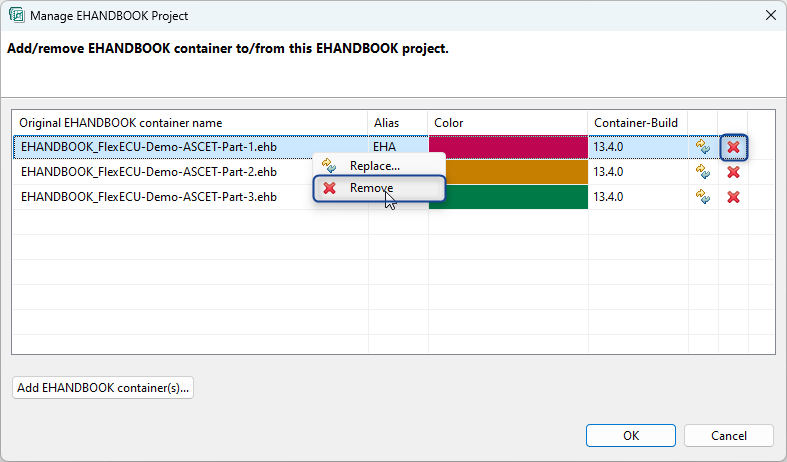
Manage EHANDBOOK Projectdialog box is displayed. -
Select the file and click
 .
.
<Or> -
Select the file and right-click.
-
A context menu is displayed.
Click .
. -
The selected file will be removed from an EHANDBOOK project.
|
In case, the selected container has the comments in it, then a confirmation dialog box is displayed. You can check and delete it. |