How to Load an EHANDBOOK File or Project Through File Explorer
Procedure
While opening a container (.ehb file) from the File Explorer and if any of an
EHANDBOOK file or a project (.ehbp) was loaded already, then
OpenEHANDBOOK File dialog box displays.
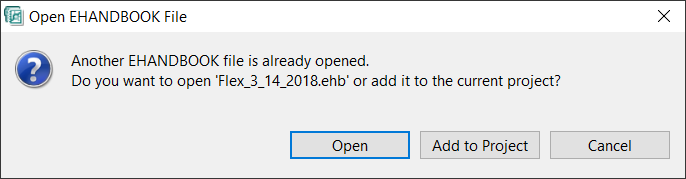
It asks you whether you want to open only the selected container or it needs to
be added to the currently loaded file or a project.
When you click Open, it closes the already opened file/project and opens the
selected file/project.
When you click Add to Project, then Manage EHANDBOOK Project displays.
Click OK to add the file to the currently opened EHANDBOOK file/project. Refer to How to Manage Multiple EHANDBOOK Files for more details on manage EHANDBOOK project.